How to Run Android Emulator for Development Without Android Studio?
Usually, we will install Android Studio to run our code in its Android Emulator. This emulator is usually called AVD (Android Virtual Device) Emulator. But, sometimes when you don’t need Android Studio for the development process but still need the AVD Emulator, it will become a hassle to install a whole Android Studio to your PC.
So I will show you how we will install and run AVD Emulator without installing any Android Studio. Here’s the step to install AVD Emulator to your PC without Android Studio.
Get Tools Package
tools package is part of Android SDK, a group of packages that are needed for Android development. tools package is used for managing other packages to create AVDs. Here’s the step for getting the tools package: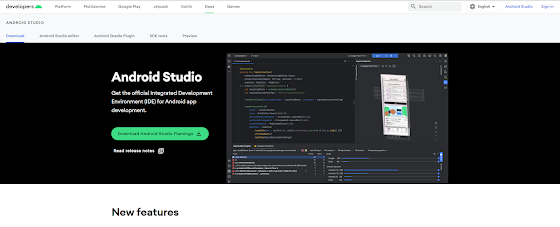
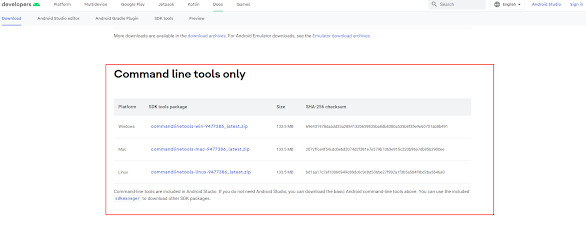
4. Extract the zip anywhere you want and you will get a folder named cmdline-tools.
tools package on your OS.Download Essential Packages
platform-tools and emulator packages. platform-tools has some tools to communicate with Android devices when you plug them into your computer. emulator is the Android emulator. We will use sdkmanager or sdkmanager.bat which are placed at cmdline-tools/bin to install them.sdkmanager or sdkmanager.bat with this command:
./sdkmanager --list
./sdkmanager.bat --list
sdkmanager with the previous command once again. You will get an error like this:
cmdline-tools/ to the directory cmdline-tools/latest/.
Now let’s install the platform-tools and emulator packages with these commands:
./sdkmanager platform-tools emulator
./sdkmanager.bat platform-tools emulator
android-sdk-licenses, you can read it first or hit type y right away.Set The Environment Variables
cmdline-tools directory. You can set the name and value of the environment variables like this:
    	ANDROID_SDK_ROOT=Path to your SDK folder

        ANDROID_HOME=Same as ANDROID_SDK_ROOT (Already deprecated, but some programs still using it to locate your SDK)
emulator directory, usually it’s at the same level as cmdline-tools directory.paltform-tools directory, usually it’s at the same level as cmdline-tools directory.cmdline-tools/latest/bin.Download the platform-specific packages
platforms, system-images, and build-tools. platforms are required to compile your app for a specified API level. system-images are Android images that are used by the emulator. build-tools are the package that is needed to build your Android apps.sdkmanager --list the command before. To download a package, you can use the command:
sdkmanager package_name
    	sdkmanager "platforms;android-32"

        sdkmanager "build-tools;32.0.0"

        sdkmanager "system-images;android-32;google_apis;x86_64"
Create an AVD device
avdmanager command to create an AVD device. This command is usually placed in cmdline-tools/latest/bin directory, so if you’ve already config the environment variable correctly, you can just call the command from everywhere.AVD device:
avdmanager create avd --name android32 --package "system-images;android-32;google_apis;x86_64"
You will be asked if you want to change some default configurations. You can change it later in config.ini file that is located in the AVD directory, so for now we will just continue the installation.
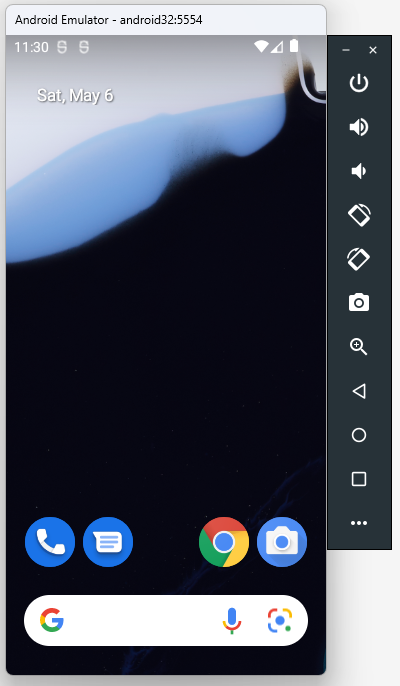
Run the Android Emulator
emulator -avd android32 #use your avd name
emulator @android32 # user your AVD name


Sai
Thank you veryyyyyyy much